Choose your category
Prepare for the 1st, 2nd, 3rd or 4th category. Work through the whole set or focus on a syllabus topic.
 HAM Radio ExamRUSSIAN AMATEUR RADIO EXAM
FROM STUDY DESK TO RADIO SHACK
Prepare for the Russian amateur radio qualification exam. Learn the questions, work on mistakes and put your knowledge to the test — at your own pace.

For iPhone & iPad. App and questions in Russian.

Real app screens · Russian interface
All four categories
Eight syllabus topics
Study offline
A CLEAR WAY TO PREPARE
A focused routine, from your first question to a full practice exam.
Prepare for the 1st, 2nd, 3rd or 4th category. Work through the whole set or focus on a syllabus topic.
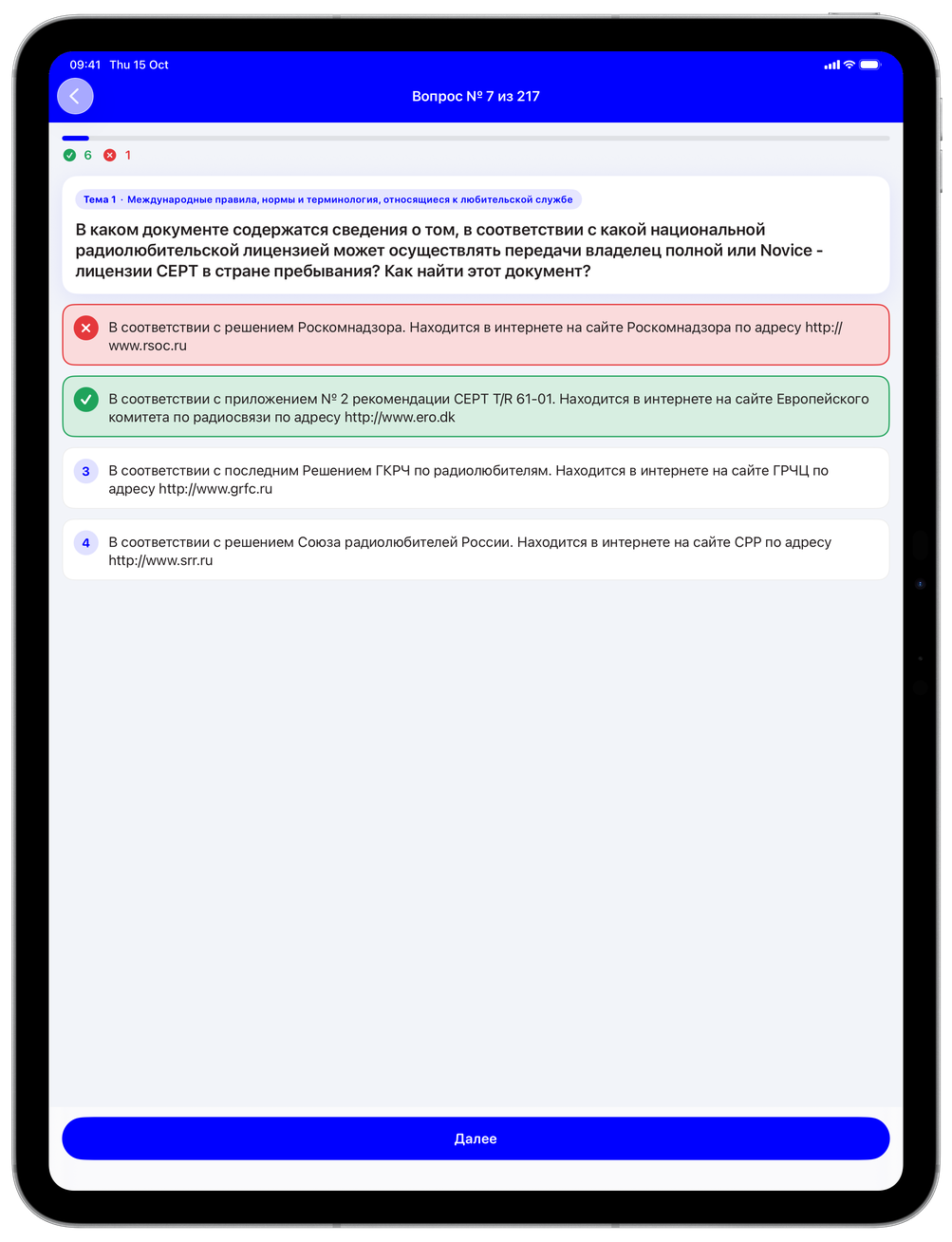
Reveal an answer when you need it, get immediate feedback and revisit the questions you missed. Resume a session where you stopped.
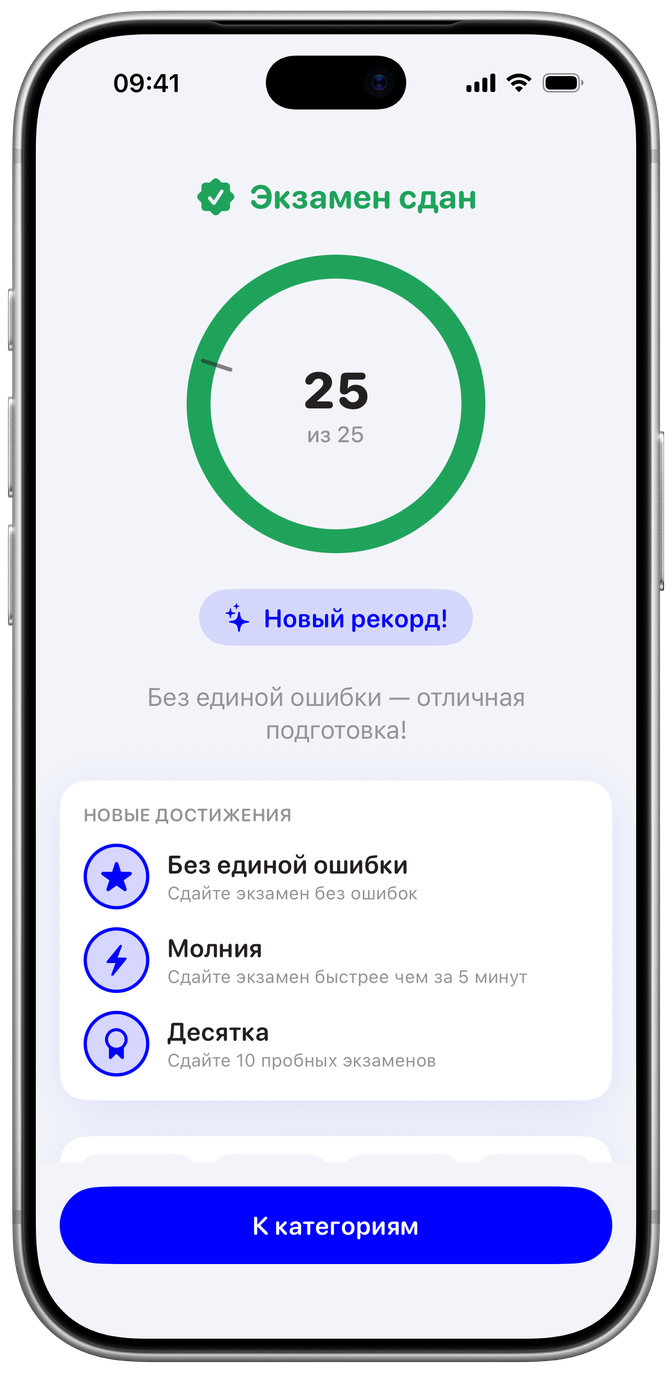
Practice with a timer, a category-specific pass mark and questions sampled across the syllabus. Review the result after every attempt.
01 / FOCUSED PRACTICE
Training makes the next step clear. See the correct answer straight away, then return to the questions that still need work.
02 / PUT IT INTO PRACTICE
Move from training to a timed mock exam. The app keeps the score and shows the pass mark, so you can see how this attempt went and what to study next.
03 / BEYOND THE QUESTION BANK
Receive practice texts by ear in Latin or Cyrillic. Adjust playback speed and pause in training, then review your errors. Morse starts may be subject to a daily limit.
The theory question bank and core practice work offline. Cloud features need an internet connection.
Made by a radio amateur, R1BIA. Independent of the Russian Amateur Radio Union (SRR); this is not an official SRR app.
BEFORE YOU START
The right app for the exam you’re preparing for.
The Russian amateur radio qualification exam, for categories 1–4. It uses questions from the Russian Amateur Radio Union (SRR) bank. It is not a preparation app for US FCC or other countries’ exams.
The app interface and question bank are in Russian. This English website explains the product; it does not mean the app is translated into English.
Yes. The theory questions, training and mock exams work offline. Internet is needed for cloud features. Morse starts can be subject to a daily allowance.
In training, the correct answer is highlighted immediately. You can practise only the questions you missed. After a mock exam, you can review your mistakes.
Yes. Practise receiving texts by ear in Latin or Cyrillic, or take a Morse mock exam. Training lets you change speed and pause. Daily limits may apply to starts.
There are no ads or subscriptions. If the app helps you, you can choose to support the project through an in-app purchase. Check the App Store for current availability and pricing.
Use the contact link in the footer to reach the developer on Telegram. Questions about the app and reports of problems are welcome.
73 / SEE YOU ON THE AIR
Choose a category and make time for your next study session.
Get HAM Radio ExamiPhone & iPad · App and questions in Russian